Configuration
How to Enable Substitutes on a Product Form
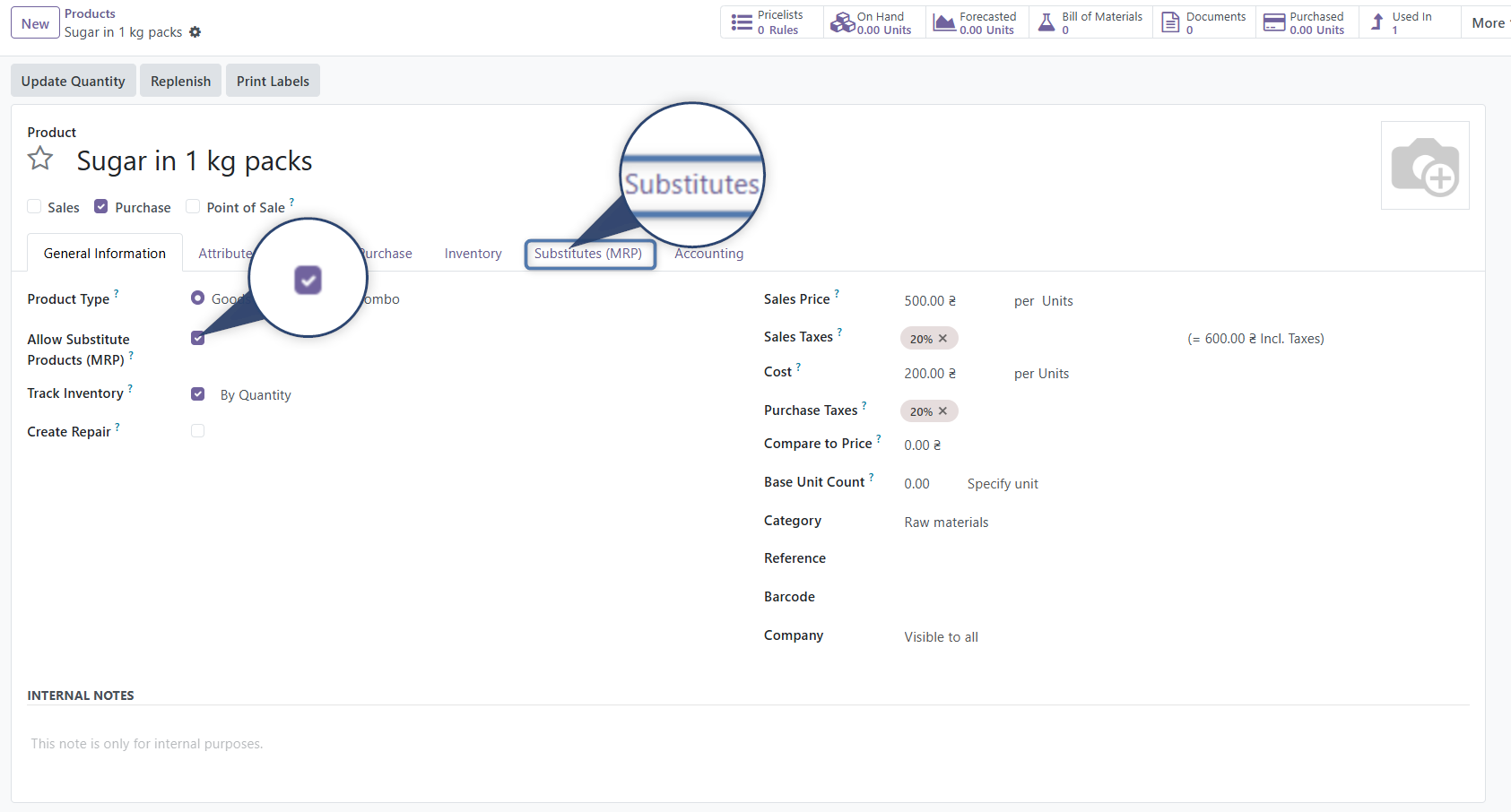
- Open the product form
- Make sure the product type is set to Goods
- Enable the checkbox: Allow Substitute Products (MRP)
- After that, a new tab will appear — Substitutes (MRP)
- If the tab does not appear, check the user's access rights
Adding Substitutes
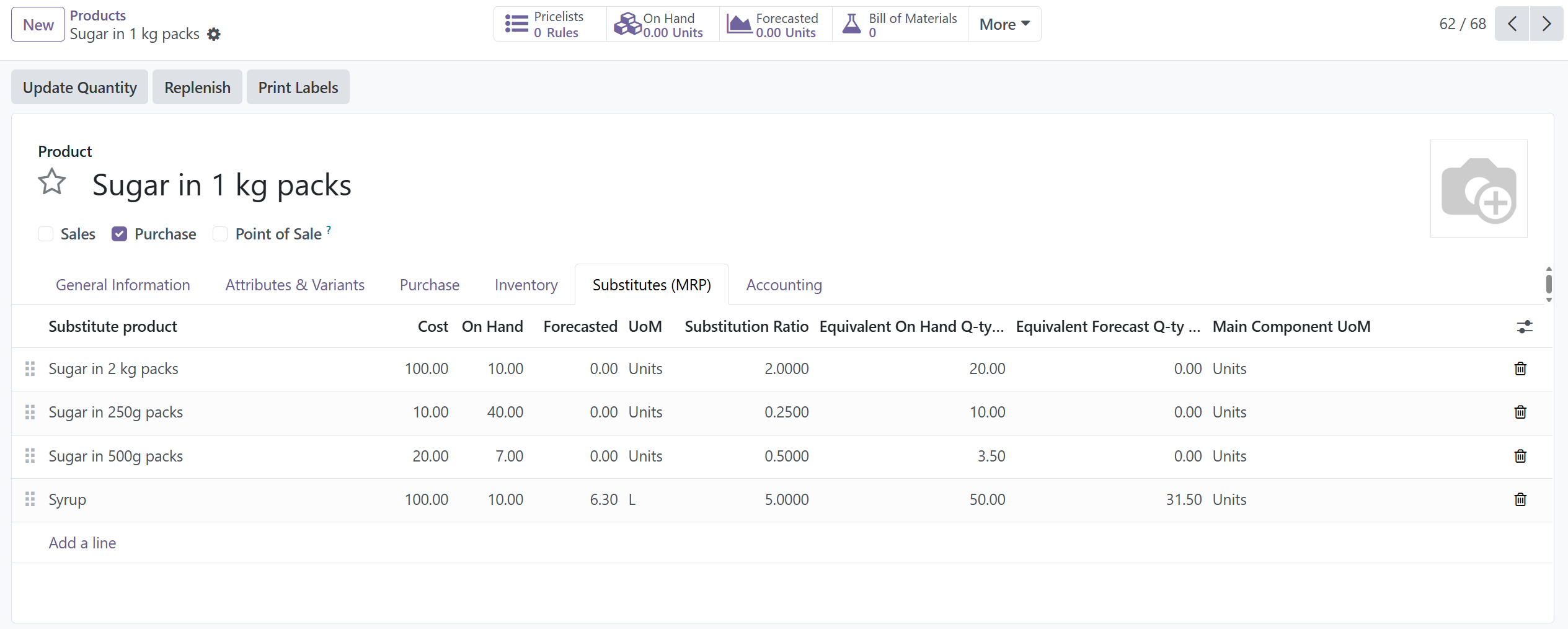
In the Substitutes (MRP) tab:
- Click Add a line
- Select the substitute product
- Arrange substitutes by priority (higher in the list = higher priority)
- Specify the substitution ratio
- Other fields are filled automatically
Substitution Control at the Specification Level (BoM)
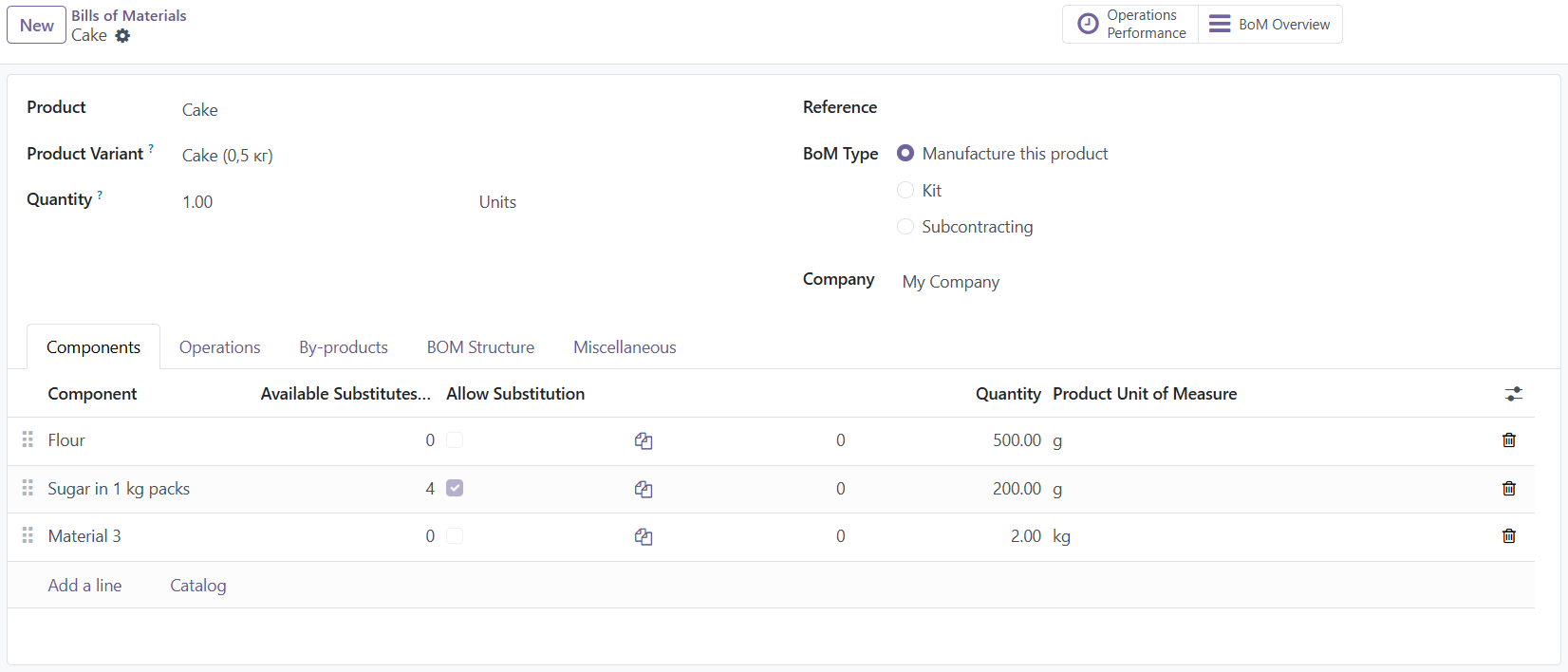
Now you can independently determine whether to apply substitutes for a specific product directly in its specification:
- Go to Manufacturing → Products → Bills of Materials and open the required specification.
- In the components table, find the new column "Allow Substitution".
- If the checkbox is enabled (default value is YES) — the system will automatically search for substitutes in case of raw material shortage during manufacturing confirmation.
- If the checkbox is disabled — automatic substitution for this line is completely blocked. The system will use the basic Odoo flow (the component will remain unavailable until the actual replenishment of the stock), even if substitutes are configured and available in the product form itself.
About the Substitution Ratio
The ratio defines how much of the base component is covered by one unit of the substitute.
For example:
- 1 → one-to-one replacement
- 0.5 → twice as much substitute is required
- 2 → half as much substitute is required
Practical Example: You need 10 units of the main raw material (Sugar in 1 kg packs). The substitute (Sugar in 500 g packs) has a ratio of 0.5. The system will calculate: 20 units of the substitute are required to cover the demand. Everything is calculated automatically — no manual math is needed.
How It Works in a Manufacturing Order
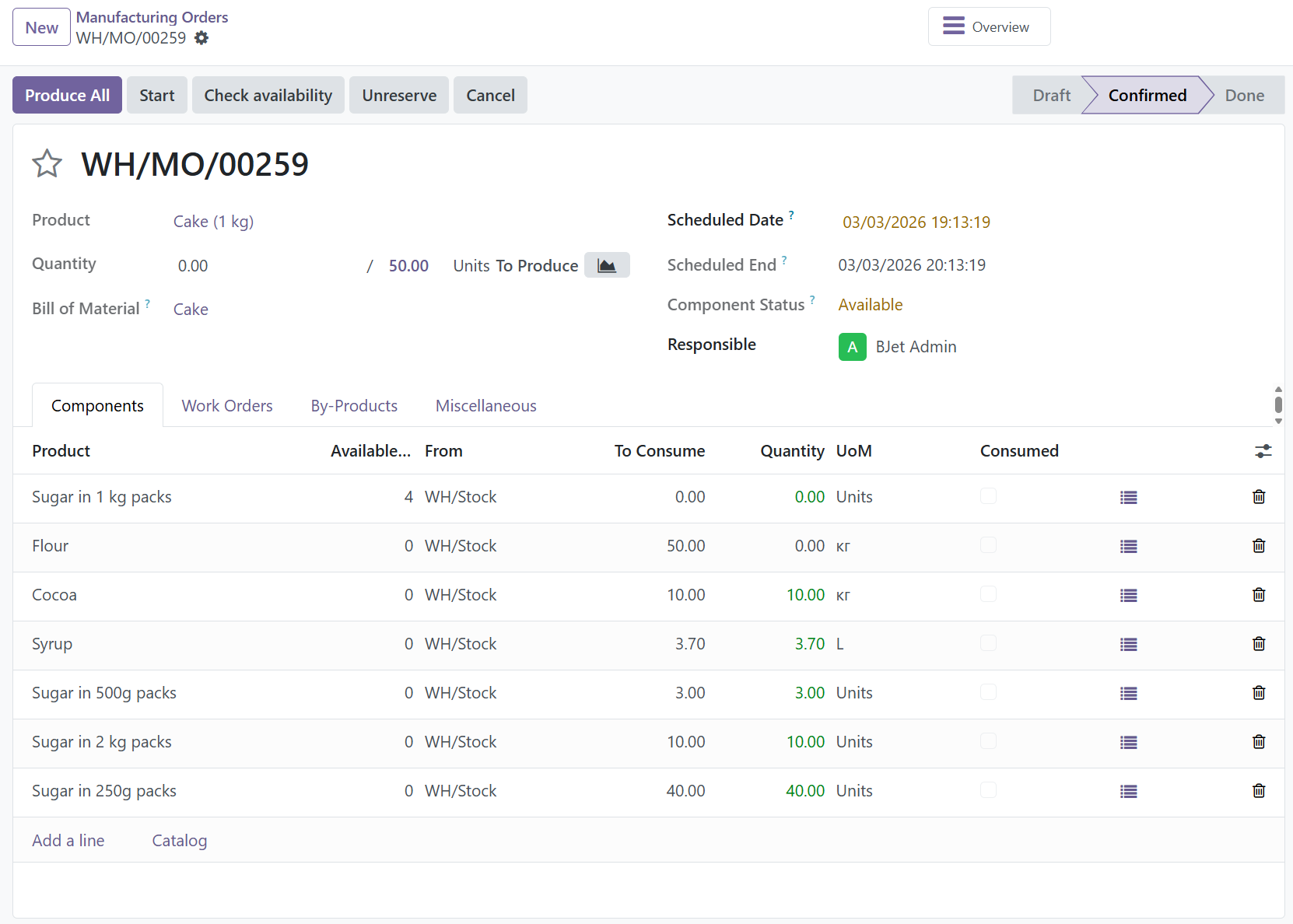
The module is triggered when confirming a Manufacturing Order: Manufacturing → Manufacturing Orders → Confirm
-
If the base component is not sufficiently available in stock, the system checks whether substitutes are configured and available. Then the automatic selection logic starts.
-
If the First Substitute Is Sufficient, the system: selects the highest-priority substitute, recalculates the required quantity based on the substitution ratio, updates the component lines in the Manufacturing Order. Production can start.
-
If the First Substitute Is Not Enough, the system proceeds step by step: takes the maximum available quantity from the first substitute, if still insufficient — takes the next substitute, then the third one, and so on. As a result, the Manufacturing Order may contain: part of the base component, part of Substitute №1, part of Substitute №2. This is normal — the system maximizes the use of available stock.
-
-
If No Substitutes Are Available: Nothing changes. The component remains unavailable, and the order waits for stock replenishment.
Important Notes
- Priority truly matters — the system processes substitutes from top to bottom
- The substitution ratio affects the accuracy of material consumption
- Substitution applies only within the specific Manufacturing Order
- The BOM is not modified
- All changes are visible directly in the document