Installation and Access Rights
Module Installation
-
Go to the Apps menu.
-
Find the MRP Component Substitution with Priority Levels module.
-
Click Install.
Note
If the Manufacturing [mrp] module is not yet installed — it will be installed automatically.
Access Rights
To work with substitutes, a user must have:
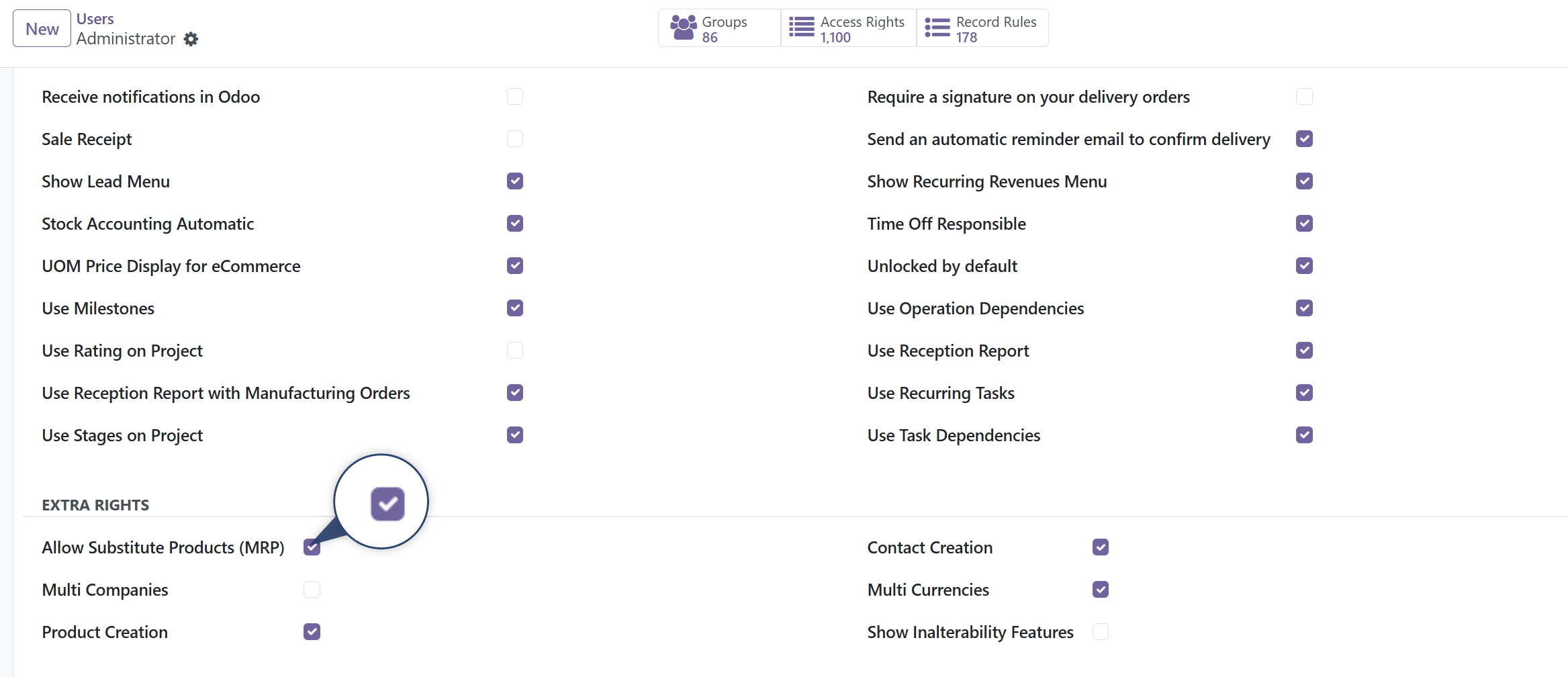
- the "Allow Substitute Products (MRP)" permission
- and standard Odoo "Product Creation" extra rights
Without these rights, the substitutes tab will not be visible in the product form.
How to Grant Access (for Administrator)
- Go to: Settings → Users & Companies → Users
- Open the required user
- In the Access Rights tab, enable the checkbox: Allow Substitute Products (MRP)
- Save the changes
Next Steps
After installing the module, proceed to Configuration to set up substitutes on products.