Creating a New Print Form
Interface and Main Elements
After installing the module, a new menu will appear:
Settings → Technical Settings → Reporting → BJET Custom Reports
1. Create a New Print Form
Settings → Technical Settings → Reporting → BJET Custom Reports → New
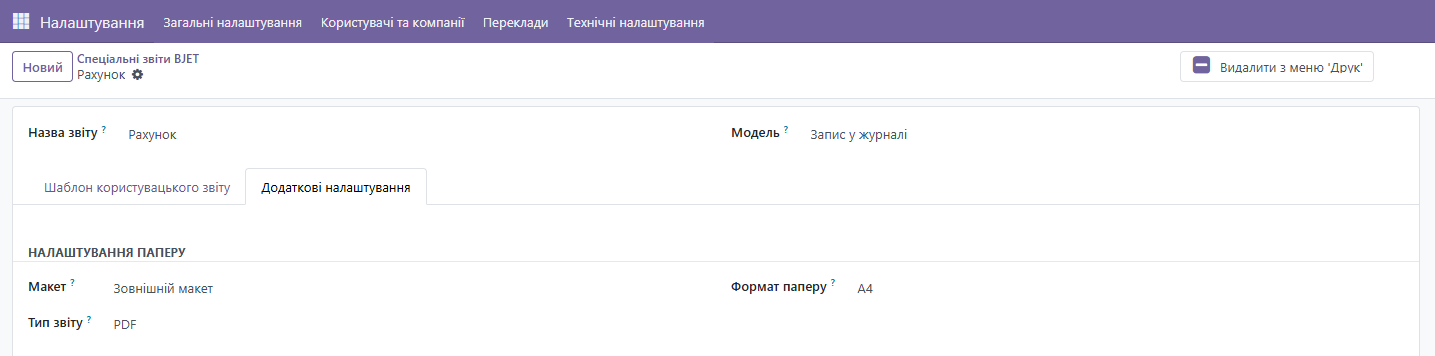
2. Fill in Basic Fields
Report Name: for example, Invoice
Odoo Model: for example, account.move (for invoices)
Additional Settings:
-
Layout: for example, External Layout
-
Document Type: for example, PDF
-
Page Format: for example, A4
3. Add HTML Code
Activate the "Source Code" field and paste the appropriate HTML code for the required print form.
Odoo Fields and Variables — a list of variables that can be inserted into the template, for example:
<span t-field="o.partner_id.name"></span>
<span t-field="o.amount_total"></span>
Please note! You can write the HTML code yourself or use the pre-configured print form creation assistant GPTs at: https://chatgpt.com/g/g-68e534d9b4848191b4f6865410b78089-bjet-pomichnik-zi-stvorennia-drukovanikh-form. More details about the GPT assistant are described in the next section.
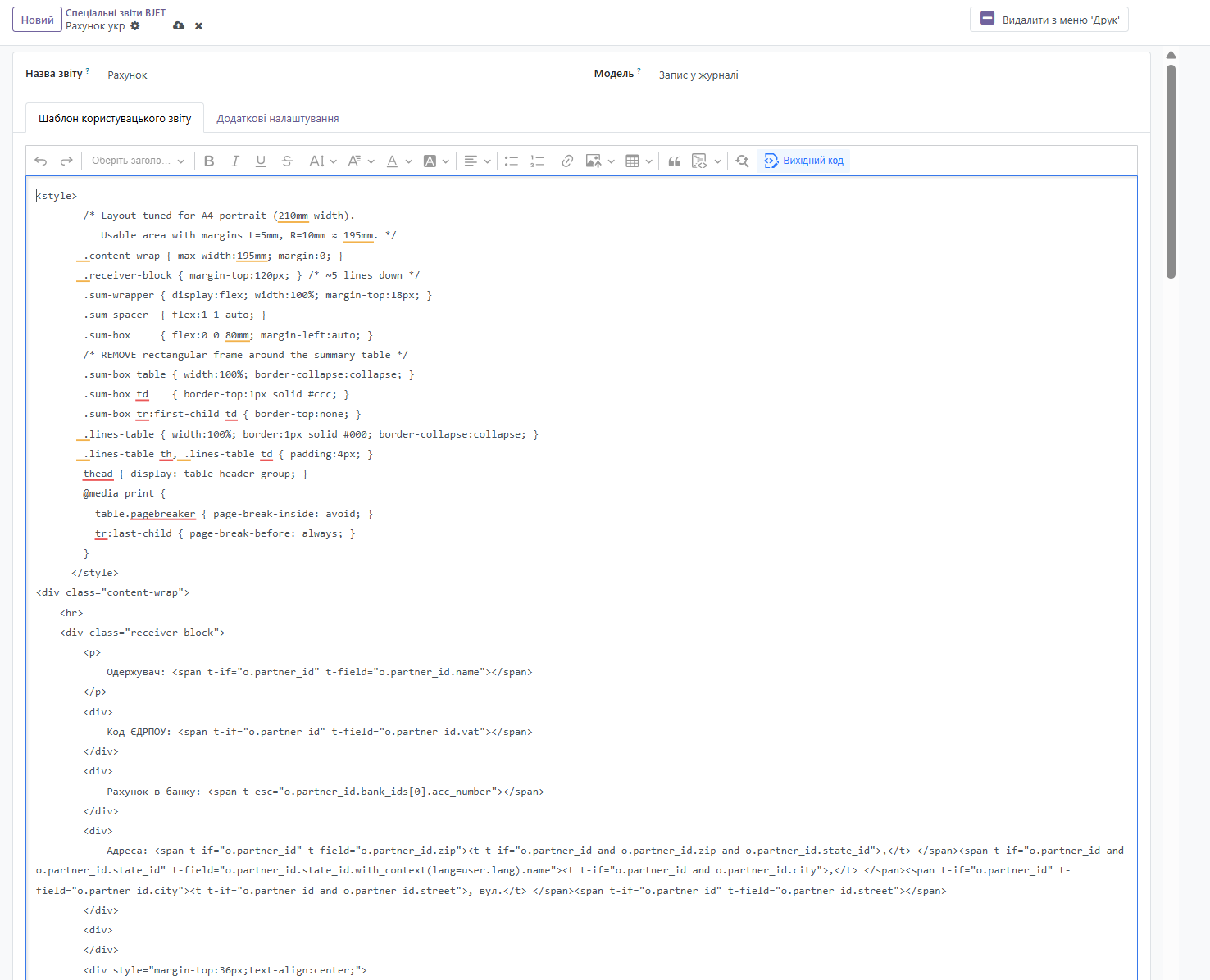
Example HTML Code for Invoice Template:
<style>
/* Layout tuned for A4 portrait (210mm width).
Usable area with margins L=5mm, R=10mm ≈ 195mm. */
.content-wrap { max-width:195mm; margin:0; }
.receiver-block { margin-top:120px; } /* ~5 lines down */
.sum-wrapper { display:flex; width:100%; margin-top:18px; }
.sum-spacer { flex:1 1 auto; }
.sum-box { flex:0 0 80mm; margin-left:auto; }
/* REMOVE rectangular frame around the summary table */
.sum-box table { width:100%; border-collapse:collapse; }
.sum-box td { border-top:1px solid #ccc; }
.sum-box tr:first-child td { border-top:none; }
.lines-table { width:100%; border:1px solid #000; border-collapse:collapse; }
.lines-table th, .lines-table td { padding:4px; }
thead { display: table-header-group; }
@media print {
table.pagebreaker { page-break-inside: avoid; }
tr:last-child { page-break-before: always; }
}
</style>
<div class="content-wrap">
<hr>
<div class="receiver-block">
<p>
Одержувач: <span t-if="o.partner_id" t-field="o.partner_id.name"></span>
</p>
<div>
Код ЄДРПОУ: <span t-if="o.partner_id" t-field="o.partner_id.vat"></span>
</div>
<div>
Рахунок в банку: <span t-esc="o.partner_id.bank_ids[0].acc_number"></span>
</div>
<div>
Адреса: <span t-if="o.partner_id" t-field="o.partner_id.zip"><t t-if="o.partner_id and o.partner_id.zip and o.partner_id.state_id">,</t> </span><span t-if="o.partner_id and o.partner_id.state_id" t-field="o.partner_id.state_id.with_context(lang=user.lang).name"><t t-if="o.partner_id and o.partner_id.city">,</t> </span><span t-if="o.partner_id" t-field="o.partner_id.city"><t t-if="o.partner_id and o.partner_id.street">, вул.</t> </span><span t-if="o.partner_id" t-field="o.partner_id.street"></span>
</div>
<div>
</div>
<div style="margin-top:36px;text-align:center;">
<h3>
<strong>РАХУНОК №</strong>
</h3>
<h3>
<strong><span t-field="o.name"></span></strong>
</h3>
</div>
<table class="table" style="border-collapse:collapse;margin-top:24px;width:60%;">
<tbody>
<tr>
<td>
<strong>Дата рахунку:</strong>
</td>
<td>
<strong>Термін оплати:</strong>
</td>
</tr>
<tr>
<td>
<span t-esc="bj_model_report.get_local_date(o.invoice_date, 'd MMMM YYYY', 'uk_UA')"></span>
</td>
<td>
<span t-if="o.invoice_payment_term_id" t-field="o.invoice_payment_term_id.name"></span>
</td>
</tr>
</tbody>
</table>
<div style="margin-top:24px;">
<table class="table pagebreaker lines-table">
<thead>
<tr>
<th style="text-align:center;width:52%;">
ОПИС
</th>
<th style="text-align:center;width:12%;">
К-ть
</th>
<th style="text-align:center;width:12%;">
Ціна, грн
</th>
<th style="text-align:center;width:12%;">
Разом без ПДВ
</th>
<th style="text-align:center;width:12%;">
Сума, грн
</th>
</tr>
</thead>
<tbody>
<tr t-foreach="o.invoice_line_ids" t-as="line">
<td>
<span t-field="line.name"></span>
</td>
<td style="text-align:center;">
<span t-field="line.quantity"></span>
</td>
<td style="text-align:center;">
<span t-esc="bj_model_report.get_amount_with_currency(line.price_unit, o.currency_id)"></span>
</td>
<td style="text-align:center;">
<span t-esc="bj_model_report.get_amount_with_currency(line.price_subtotal, o.currency_id)"></span>
</td>
<td style="text-align:center;">
<span t-esc="bj_model_report.get_amount_with_currency(line.price_total, o.currency_id)"></span>
</td>
</tr>
</tbody>
</table>
</div>
<div class="sum-wrapper">
<div class="sum-spacer">
</div>
<div class="sum-box">
<t t-if="o.amount_tax"></t><t t-if="o.amount_residual > 0"></t>
<table class="table">
<tbody>
<tr>
<td>
Разом без ПДВ:
</td>
<td style="text-align:right;">
<span t-esc="bj_model_report.get_amount_with_currency(o.amount_untaxed, o.currency_id)"></span>
</td>
</tr>
<tr>
<td>
ПДВ:
</td>
<td style="text-align:right;">
<span t-esc="bj_model_report.get_amount_with_currency(o.amount_tax, o.currency_id)"></span>
</td>
</tr>
<tr>
<td>
<strong>Всього з ПДВ:</strong>
</td>
<td style="text-align:right;">
<strong><span t-esc="bj_model_report.get_amount_with_currency(o.amount_total, o.currency_id)"></span></strong>
</td>
</tr>
<tr>
<td>
До сплати:
</td>
<td style="text-align:right;">
<strong><span t-esc="bj_model_report.get_amount_with_currency(o.amount_residual, o.currency_id)"></span></strong>
</td>
</tr>
</tbody>
</table>
<div style="margin-top:12px;text-align:right;">
<span t-esc="bj_model_report.amount_to_words(o.amount_total, o.currency_id, 'uk_UA')"></span>
</div>
</div>
</div>
<div style="margin-top:32px;">
<p>
<strong>Деталі банку для оплати рахунку:</strong>
</p>
<div>
<span t-field="o.company_id.partner_id.name"></span>
</div>
<div>
Код ЄДРПОУ:<span t-field="o.company_id.partner_id.vat"></span>
</div>
<div>
<span>IBAN: </span><span t-esc="o.partner_bank_id.acc_number"></span><span t-esc="o.company_id.partner_id.bank_ids[0].acc_number"></span>
</div>
<div>
<span>Банк: </span><span t-esc="o.partner_bank_id.bank_id.name"></span><span t-esc="o.company_id.partner_id.bank_ids[0].bank_id.name"></span>
</div>
<div style="margin-top:8px;">
<p>
<strong>Адреса реєстрації:</strong>
</p>
<div>
<span t-field="o.company_id.partner_id.zip"><t t-if="o.company_id.partner_id.zip and o.company_id.partner_id.state_id">, </t></span><span t-if="o.company_id.partner_id.state_id" t-field="o.company_id.partner_id.state_id.with_context(lang=user.lang).name"><t t-if="o.company_id.partner_id.city">, </t></span><span t-if="o.company_id.partner_id.state_id" t-field="o.company_id.partner_id.city"><t t-if="o.company_id.partner_id.street">, вул. </t></span><span t-if="o.company_id.partner_id.state_id" t-field="o.company_id.partner_id.street"></span>
</div>
</div>
</div>
<div style="margin-top:48px;text-align:right;">
<p>
_______________________________
</p>
<p>
директор <span t-if="o.company_id.partner_id.child_ids" t-esc="o.company_id.partner_id.child_ids[0].name"></span>
</p>
</div>
<div class="footer" style="border-top:1px solid silver;margin-top:32px;text-align:center;">
<p>
<span>тел. </span><span t-field="o.company_id.phone">| email: </span><span t-field="o.company_id.email">| веб-сайт: </span><span t-field="o.company_id.website"></span>
</p>
<p t-field="o.company_id.report_header">
</p>
</div>
</div>
</div>
4. Preview, Save and Activate the Print Form
- Deactivate the "Source Code" field and preview the print form
- Make changes if necessary
- Save the print form
- Make the form available to all module users by clicking the button: Add to 'Print' Menu
Example print form: Invoice.pdf