Configuration
PrivatBank Journal Configuration
Step 1: Creating or Opening a Journal
- Create or open a bank journal (Journal Type = Bank).
- Specify the bank account number.
- On the Journal Entries tab, find the Bank Feeds field.
- Select Autoclient PrivatBank24.
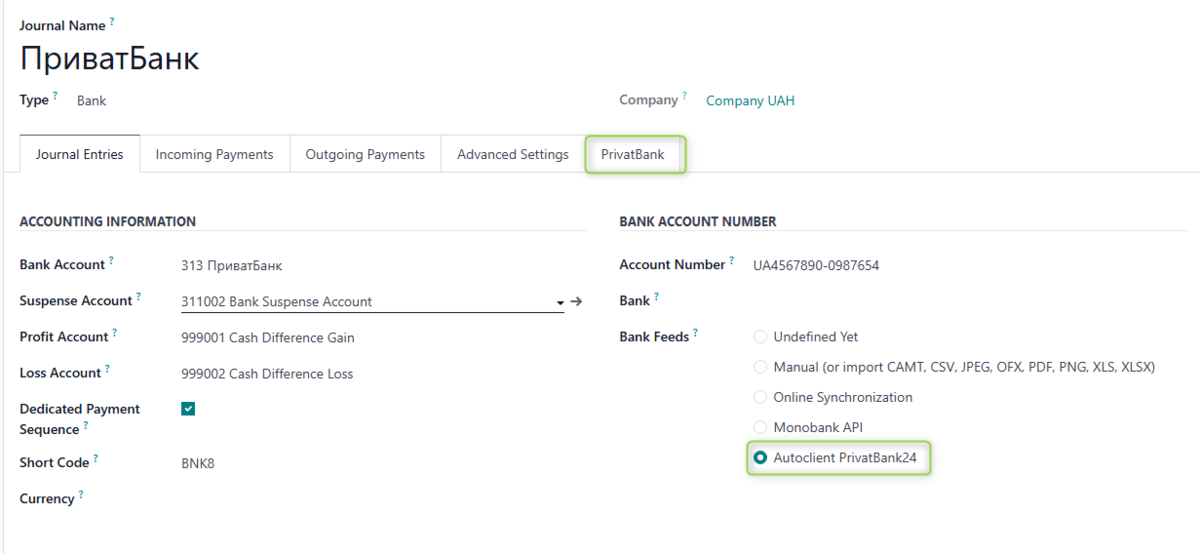
- A new PrivatBank tab will appear.
If you later select a different Bank Feeds option — the PrivatBank tab will be hidden.
Step 2: Configuring the PrivatBank Tab
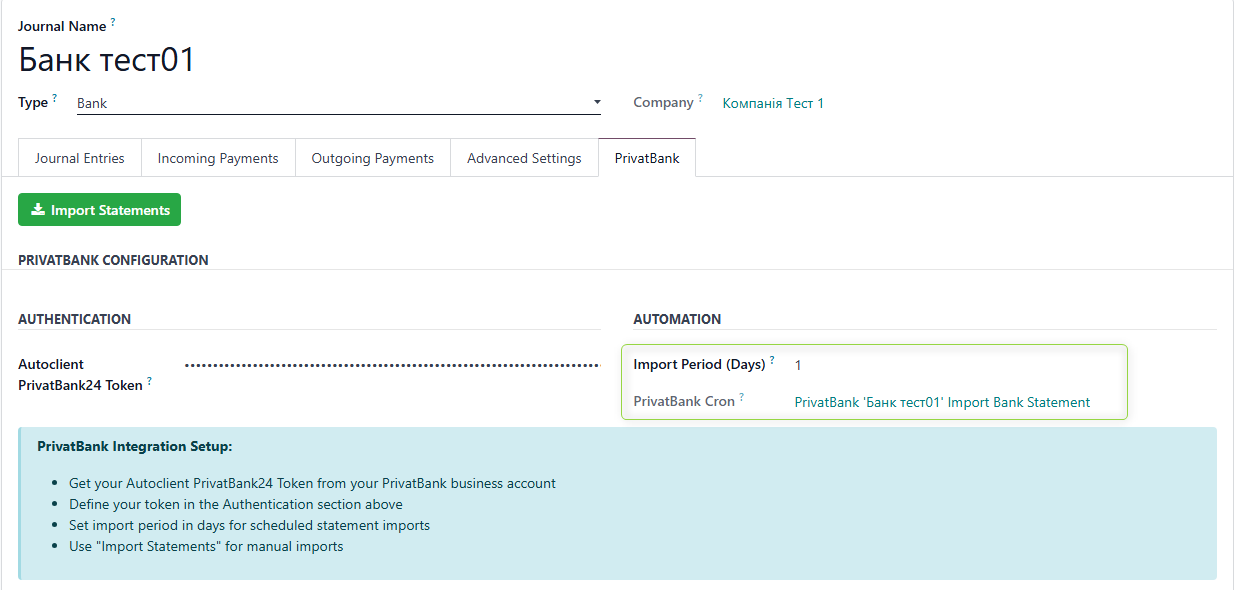
On the PrivatBank tab, fill in the following field:
- PrivatBank24 Autoclient Token
To obtain authorization credentials, follow the link https://docs.google.com/document/d/e/2PACX-1vTtKvGa3P4E-lDqLg3bHRF6Wi9S7GIjSMFEFxII5qQZBGxuTXs25hQNiUU1hMZQhOyx6BNvIZ1bVKSr/pub and complete all the steps described in the section Creating a profile and obtaining authorization data
Activate the token and copy it
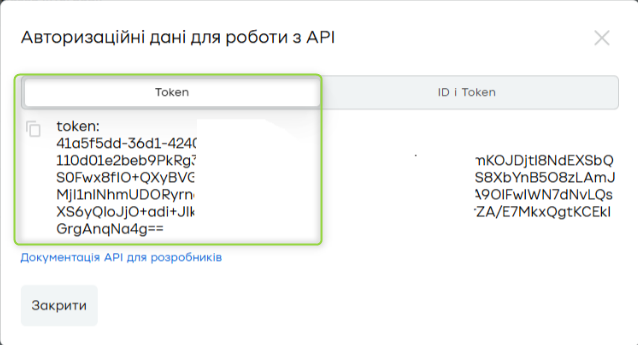
Paste it into the PrivatBank24 Autoclient Token field
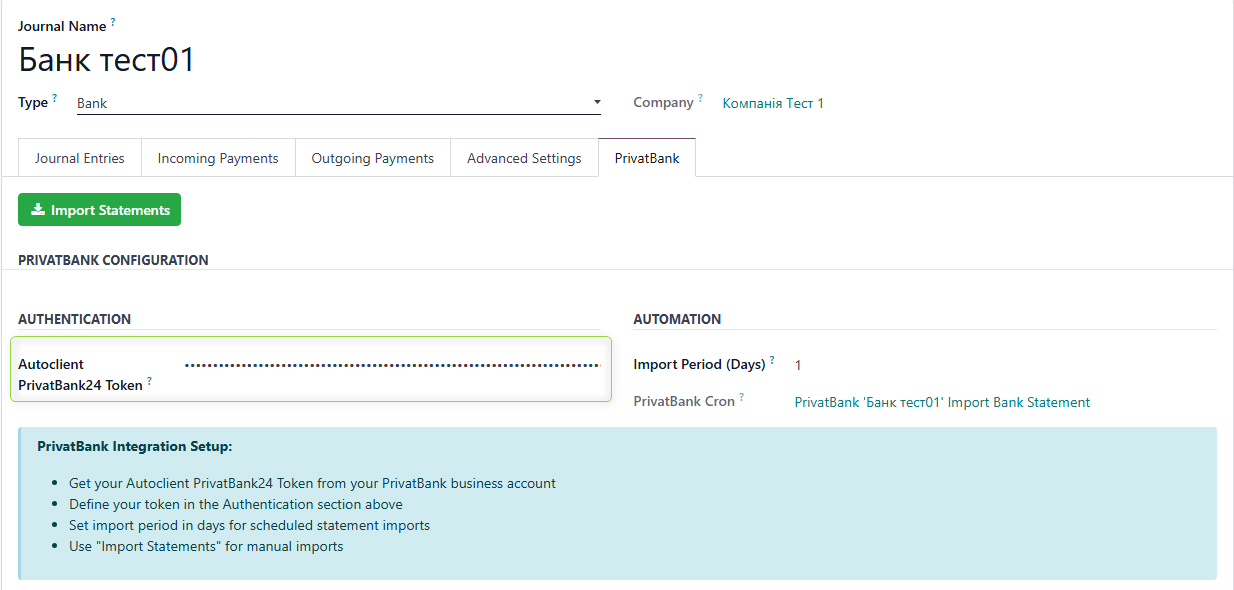
Import Period (days)
This specifies how many recent days to load statements for.
Default value: 1 day.
- After saving the Journal with a filled token, a cron is created that runs daily. If Autoclient PrivatBank24 stops being the Bank Feeds source → the cron is automatically deleted.
Manual Statement Import
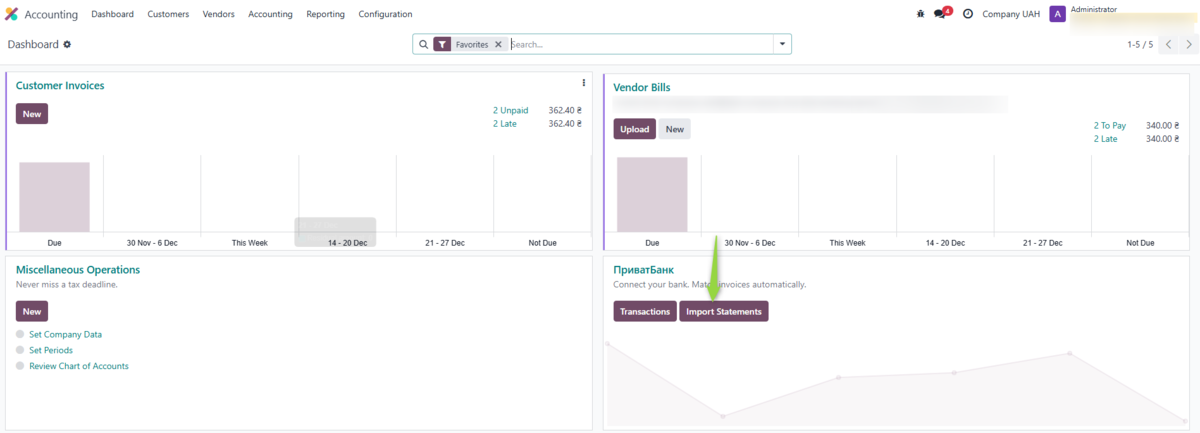
Method 1: From the Journal Dashboard
Go to the Accounting/Invoicing menu → Journal Dashboards → click Import Statements.
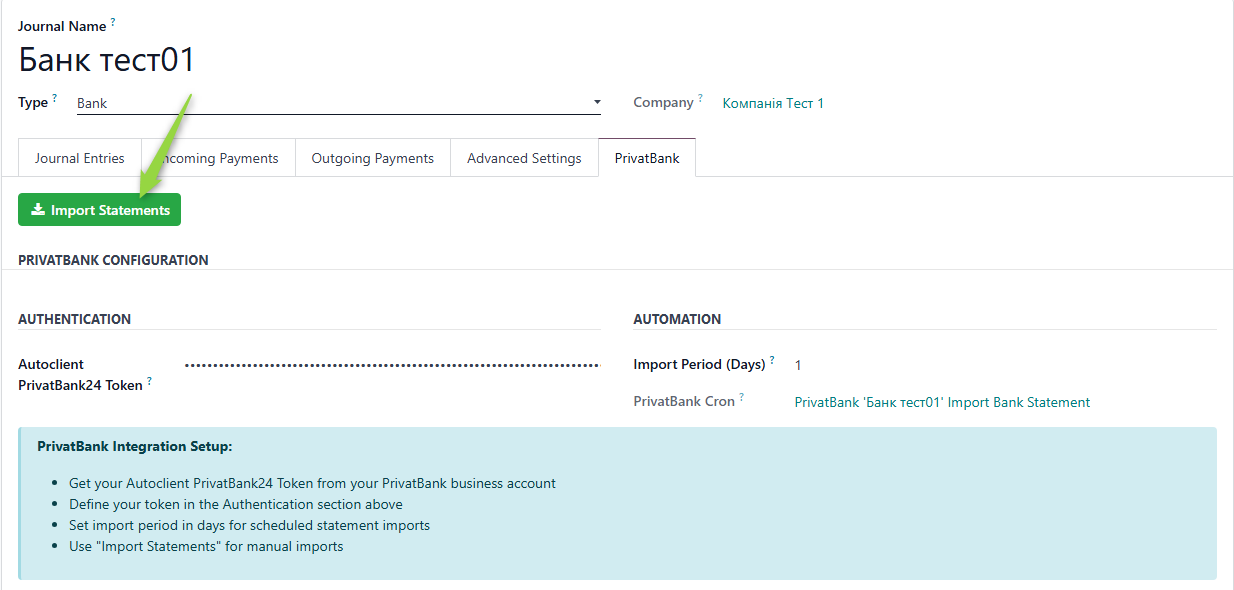
Method 2: From the Journal Form
Open the bank journal and go to the PrivatBank tab → click Import Statements.
Selecting the Import Period
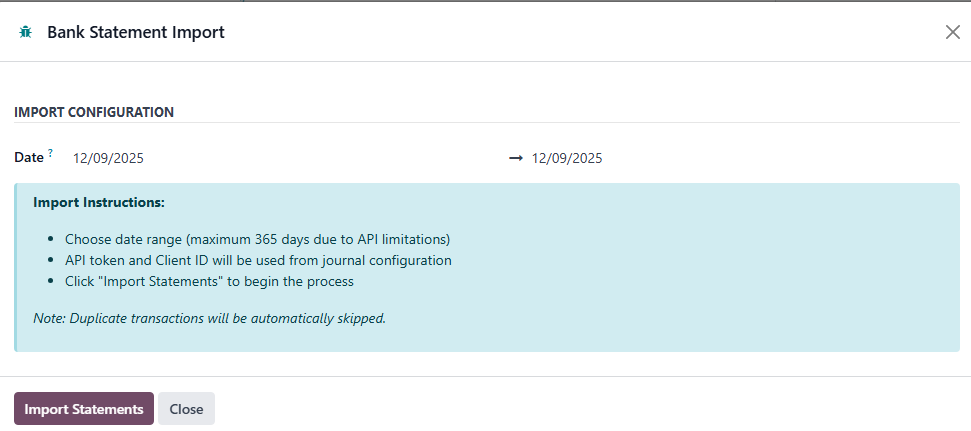
A window with a Date field will appear. You can:
-
Leave the default value:
- Start Date = current date − number of days specified in the "Import Period (days)" field
- End Date = current date
-
Or set your own statement loading period.